 DNS Unpacked
What happens when you type an address
The short version
- Your browser needs a number before it can open a website.
- It checks its own memory first, then asks your computer.
- If neither knows, your computer asks a resolver: a server that does the looking up for you.
- The resolver asks three kinds of servers in turn: the root, the top-level domain, and the domain's own servers.
- The answer comes back, and every step keeps a copy for next time.
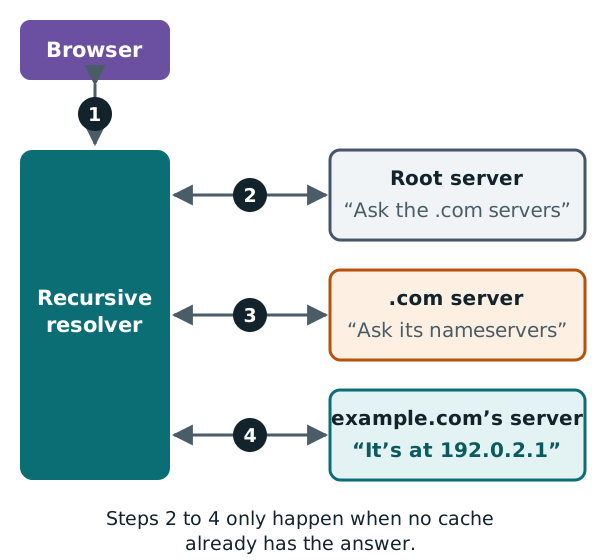
Step 1: the browser checks its memory
Say you type www.example.com into your browser. Before it can load the page, it needs the IP address.
First, the browser checks what it already knows. Many browsers keep a short list of recent lookups.[1] This saved list is called a cache. If the name is in there, the browser can skip every other step.
Step 2: your computer checks its memory
If the browser doesn't know, it asks your computer's operating system.[1] That is Windows, macOS, Android or whatever your device runs.
The part of the system that handles this is a stub resolver. "Stub" means it can't do the whole job itself. It hands the hard work to a bigger resolver.[2]
Your computer has a cache too. It checks that next.[1]
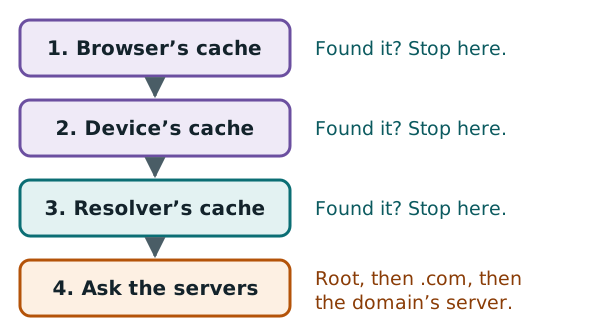
Step 3: the recursive resolver takes over
If your computer doesn't know either, it sends the question to a recursive resolver. This is a server whose job is to chase down answers for you.[3] At home, it is usually run by your internet provider.[1]
The resolver also keeps a cache.[2] For a popular site, it often has the answer already. If not, it goes out and asks other servers. The rest of this page follows it on that trip.
The next chapter looks at resolvers and caches in more detail.
Step 4: ask a root server
The resolver starts at the top of the tree, with a root server.
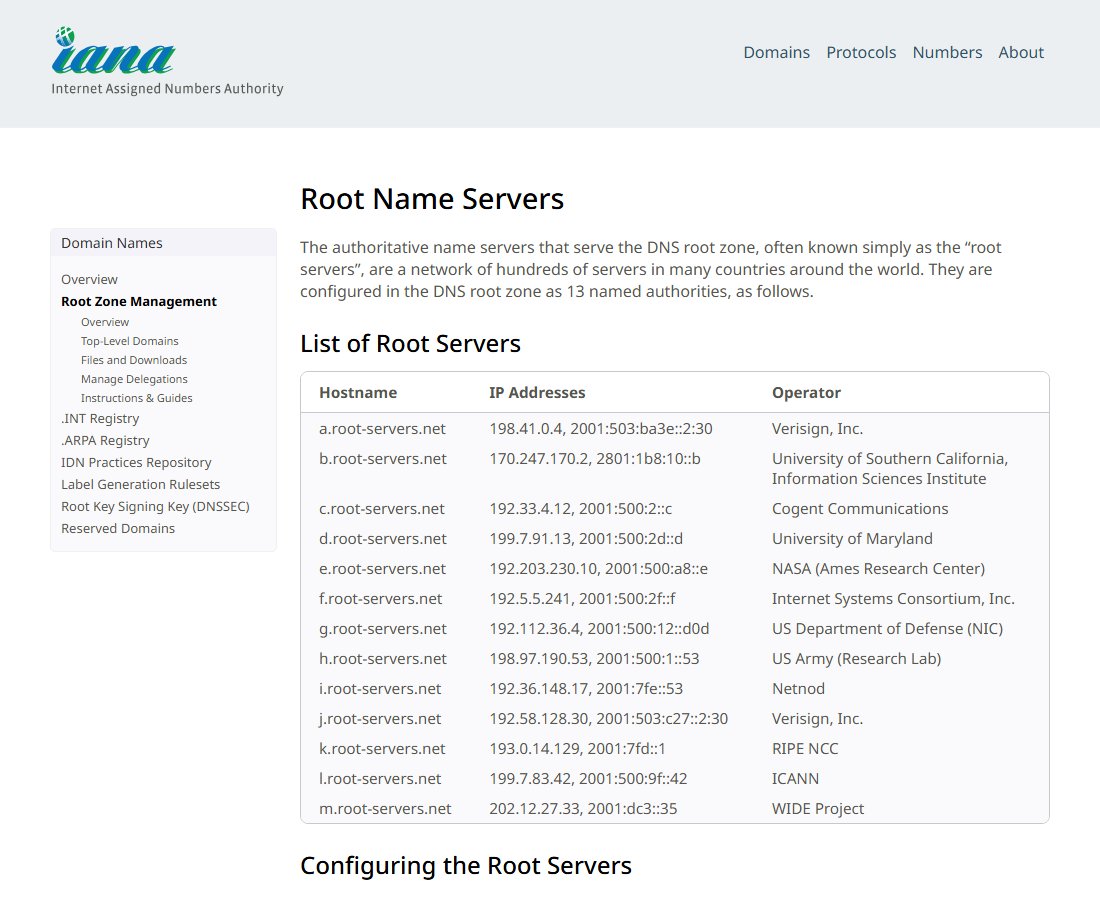
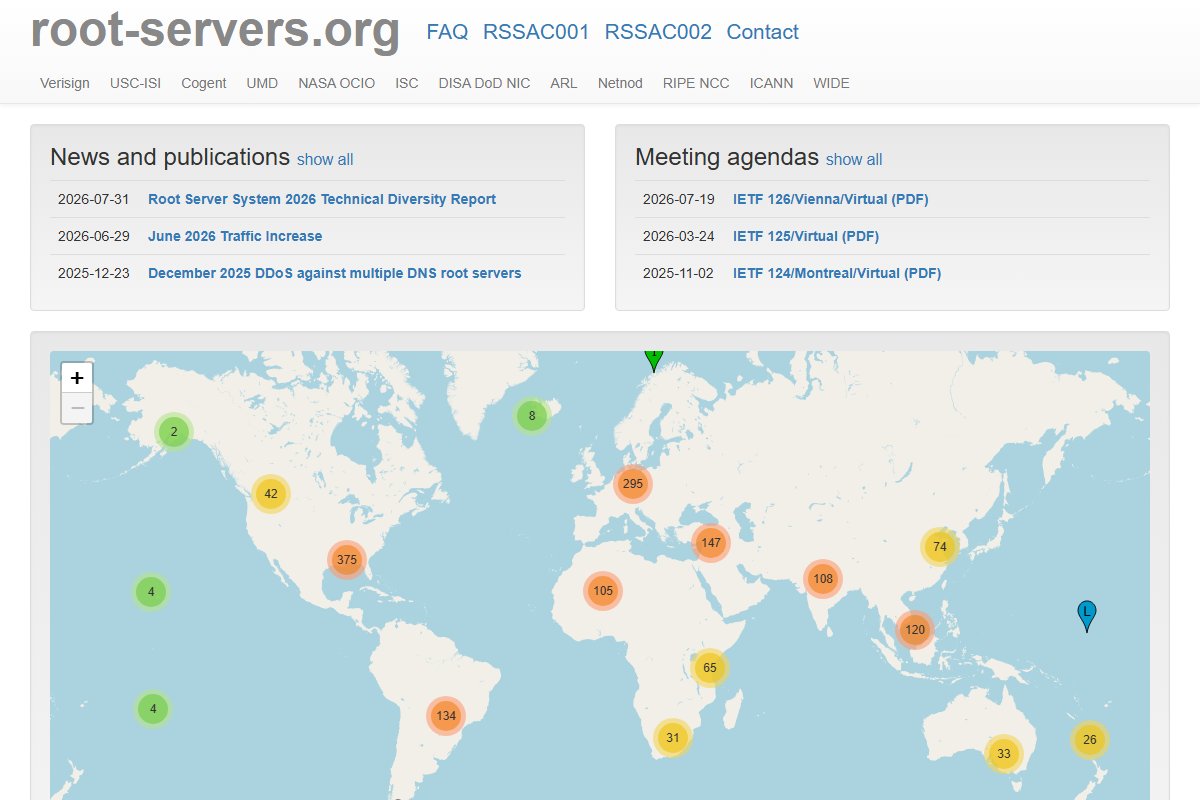
There are 13 named root servers. Behind those 13 names sit hundreds of machines in many countries.[4] Twelve separate organisations run them.[5]
IANA lists all 13:
A root server does not know the address of www.example.com. What it does know is where to find each top-level domain.[6]
So it replies, in effect, "I don't know, but the .com servers will. Here they are." This kind of reply is called a referral. It points the resolver to another server.[3]
Step 5: ask a .com server
Next, the resolver asks one of the .com servers. a.gtld-servers.net is one of them.[7]
The .com server doesn't know the address either. But it knows which servers hold the records for example.com.[3] So it sends back another referral.
Step 6: ask the domain's own nameserver
Last, the resolver asks one of example.com's own servers. These are called its nameservers. They hold the real records for the domain.
This server does know the answer, because it holds the records itself.[2] It replies with the IP address for www.example.com.
Step 7: the answer comes home
The resolver hands the address back to your computer. Your computer hands it to the browser. Now the browser can connect to the website and load the page.
Here is the whole trip as a short conversation. The address 192.0.2.1 is a stand-in used for examples:
Resolver → root server:   Where is www.example.com?
Root server:              Ask the .com servers, such as a.gtld-servers.net.
Resolver → .com server:   Where is www.example.com?
.com server:              Ask the nameservers for example.com.
Resolver → nameserver:    Where is www.example.com?
Nameserver:               It is at 192.0.2.1.
Why this is usually quick
That sounds like a lot of asking. In practice, most lookups are much shorter.
Each step keeps a copy of what it learns. The resolver, for example, remembers where the .com servers are. So it rarely needs to ask a root server at all.[6]
The root servers are spread around the world, as this map from the root server operators shows.
Next: resolvers and caching
Most of the speed comes from caching. The next chapter explains how resolvers and caches work, and why a cache can sometimes show you an old answer.
Sources
- Domain Name System, Wikipedia (accessed 2026-10-18)
- RFC 8499: DNS Terminology, IETF (accessed 2026-10-18)
- RFC 1034: Domain names - concepts and facilities, IETF (accessed 2026-10-18)
- Root Name Servers, IANA (accessed 2026-10-18)
- root-servers.org, Root Server Technical Operations Association (accessed 2026-10-18)
- What Does ICANN Do?, ICANN (accessed 2026-10-18)
- .com Top-Level Domain, IANA (accessed 2026-10-18)