 DNS Unpacked
TXT records
The short version
- A TXT record holds a piece of text on a domain name.
- DNS doesn't care what the text says. The program that reads it decides what it means.
- Services often ask you to add a TXT record to prove you control a domain.
- A name can have many TXT records at once.
- Watch out for extra quote marks, and for long values.
Text that DNS stores for you
Most records hold one kind of data, like an address. A TXT record is different. It holds text.[1]
DNS itself doesn't read the text. What it means depends on who wrote it, and why.[1] Early on, people used TXT records for notes, like a company's name.[2] Now they mostly hold small bits of data that programs read.[2]
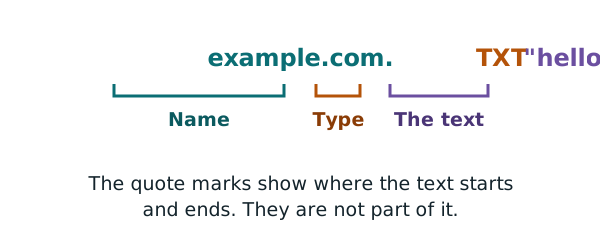
Here is one, written the way DNS tools show it:
example.com. 3600 IN TXT "hello from example.com"
The text sits inside double quote marks. Those marks are not part of the text. They just show where it starts and ends.[3]
Proving you control a domain
This is the TXT record you are most likely to meet. A service wants to check that a domain is really yours before it does something for you. Search engines and security certificate providers both do this, for example.[2][3]
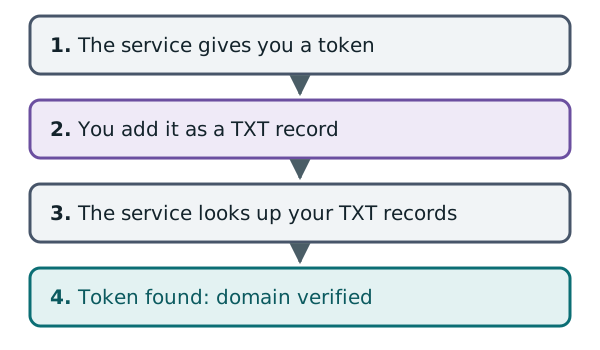
The check works like this:
- The service gives you a unique piece of text. This is often called a token.
- You add a TXT record holding that text to your domain.
- The service looks up your domain's TXT records.
- If your token is there, you must control the domain. Only someone with access to its DNS could have added it.
Google Search Console is one example. It gives you a TXT value to add at your DNS provider.[4] Google says most sites use a TXT record for this.[4]
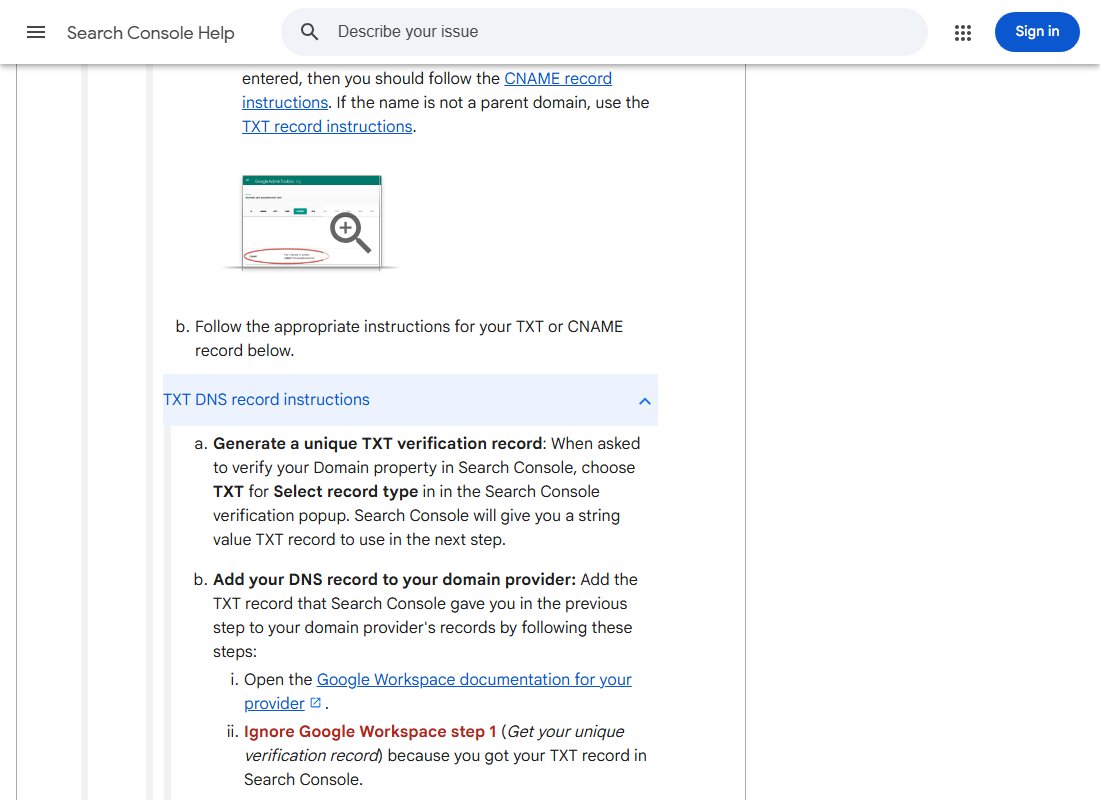
Two tips from Google's help page are worth knowing. First, the record can take a while to show up. It might be minutes, or it might be days.[4] Second, leave the record in place after you are verified. If you delete it, you can lose your verified status.[4]
Many TXT records on one name
A name can have more than one TXT record.[2] Each service you verify with may add its own. They sit side by side without trouble.
You can see this on example.com. Google's online Dig tool shows two TXT records on it:
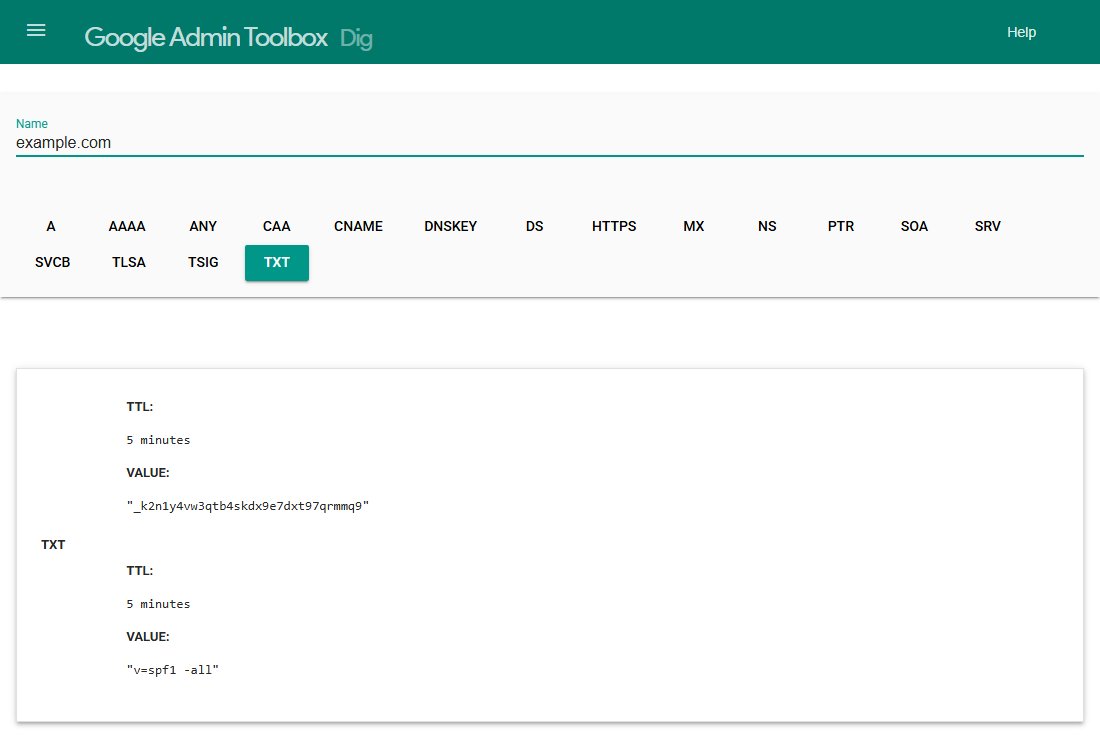
The first is a token like the ones above. The second starts with v=spf1. That is one of the email checks mentioned in the MX chapter. Those checks also live in TXT records.[2] How they work is outside this guide.
Pitfall 1: extra quote marks
You saw that quote marks wrap the text. That causes a common mistake.
Some DNS dashboards add the quote marks for you.[3] If you type them as well, you can end up with quotes inside quotes. Then the value no longer matches what the service expects.
Mismatched quote marks can also make a dashboard reject the record.[3] So paste the value exactly as the service gives it. Then look at the saved record, and check the quote marks look right.
Pitfall 2: long values
Each piece of text in a TXT record has a size limit. One piece can hold up to 255 characters.[1] The standard says 256, but one of those is used to store the length.
A single TXT record can hold more than one piece, though.[2] So a longer value can be stored as several quoted pieces, one after another:
example.com. 3600 IN TXT "first part of a very long value..." "...second part"
If a service gives you a very long value, check your DNS provider's help pages. They explain how that provider handles it.
Pitfall 3: the wrong name
Check which name the service wants the record on. Some want it on the bare domain, example.com. Others want a special subdomain, such as one that starts with an underscore.[2]
Also remember the CNAME rule from chapter 8. A name with a CNAME can't have any other records, including TXT.[5]
Next: time to live
Every record you add, TXT included, has a TTL. The next chapter explains what that number does, and why changes take time to show.
Sources
- RFC 1035: Domain names - implementation and specification, IETF (accessed 2026-10-18)
- TXT record, Wikipedia (accessed 2026-10-18)
- DNS record types, Cloudflare DNS docs (accessed 2026-10-18)
- Verify your site ownership, Google Search Console Help (accessed 2026-10-18)
- RFC 1912: Common DNS Operational and Configuration Errors, IETF (accessed 2026-10-18)