 DNS Unpacked
A and AAAA records
The short version
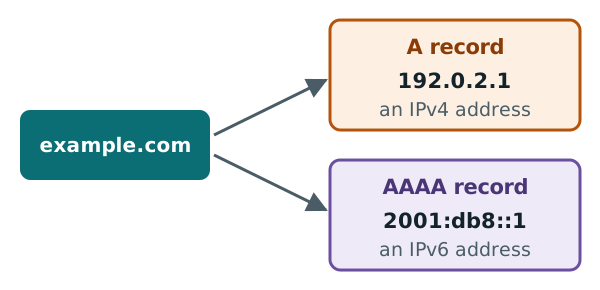
- An A record links a name to an IPv4 address, like
192.0.2.1. - An AAAA record links a name to an IPv6 address, like
2001:db8::1. - A name can have several of each.
- The bare domain (
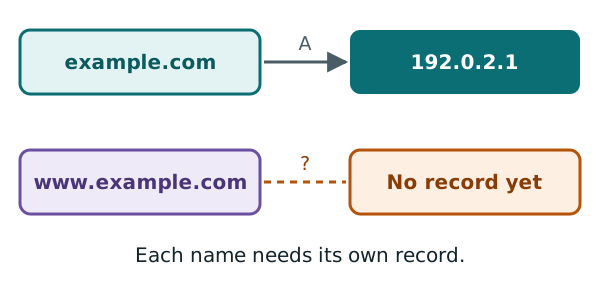
example.com) andwww.example.comare two separate names. Each one needs its own records.
Two kinds of IP address
In the first chapter, you met IP addresses. There are two kinds in use today, side by side.[1]
IPv4 is the older kind. It is written as four numbers from 0 to 255, with dots between them. For example: 192.0.2.1.[1]
IPv4 addresses are 32 bits long. That turned out to be too few for a growing internet.[1]
IPv6 is the newer kind. It is 128 bits long, so there are far more of them.[1] It is written in up to eight groups, with colons between them.[2] Runs of zeros are usually left out, so addresses look shorter. For example: 2001:db8::1.[2]
Both example addresses on this page come from ranges kept for documents like this one.[3][4]
The A record
An A record holds one IPv4 address for a name.[5] "A" stands for address.
Here is an A record, written the way DNS tools show it:
example.com. 3600 IN A 192.0.2.1
Read it from left to right:
- The name is
example.com.(with the hidden dot from chapter 2). - The number 3600 is the TTL. It is how many seconds a copy may be kept.[5]
- The letters IN mean "internet".[5] You can ignore this part.
- The letter A is the record type.
- The last part is the address.
The AAAA record
An AAAA record does the same job for IPv6. It holds one IPv6 address.[6] People usually say it as "quad-A".
example.com. 3600 IN AAAA 2001:db8::1
Hosts often ask you to add both. One host explains why: not every network uses IPv6 yet.[7] The A record covers everyone else.
More than one address
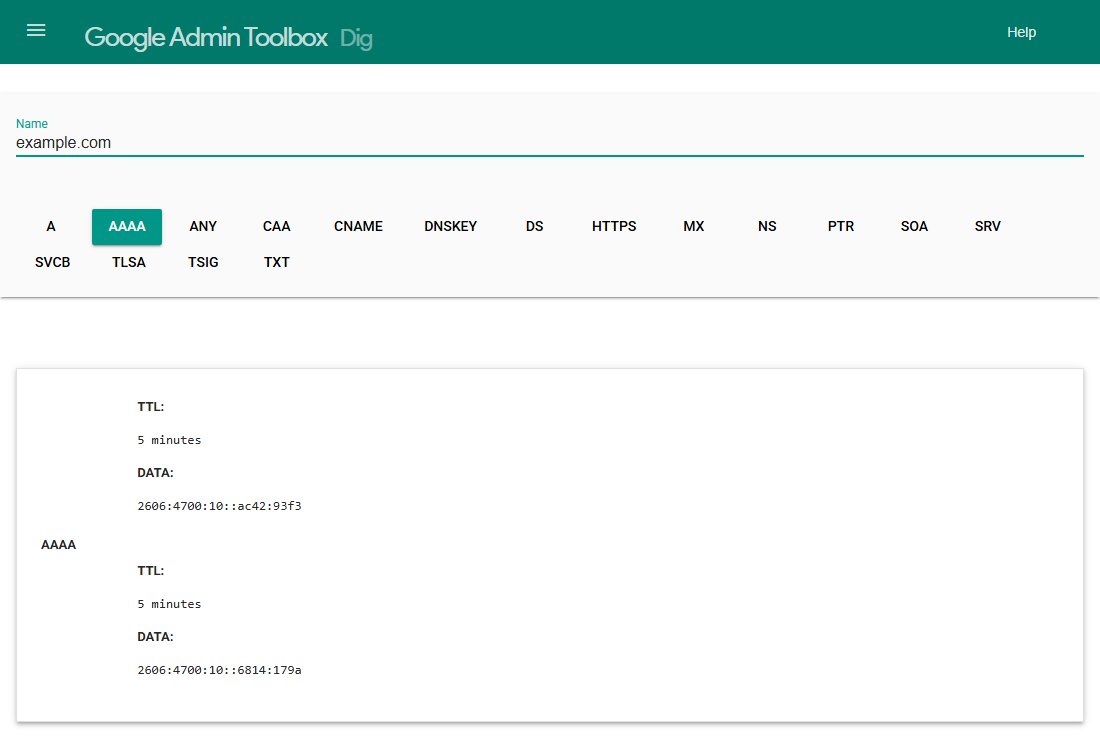
A name can have more than one A record. Each record holds one address.[5] AAAA records work the same way.
You can see this on a real lookup. Here is Google's online Dig tool, asked for the A records of example.com:
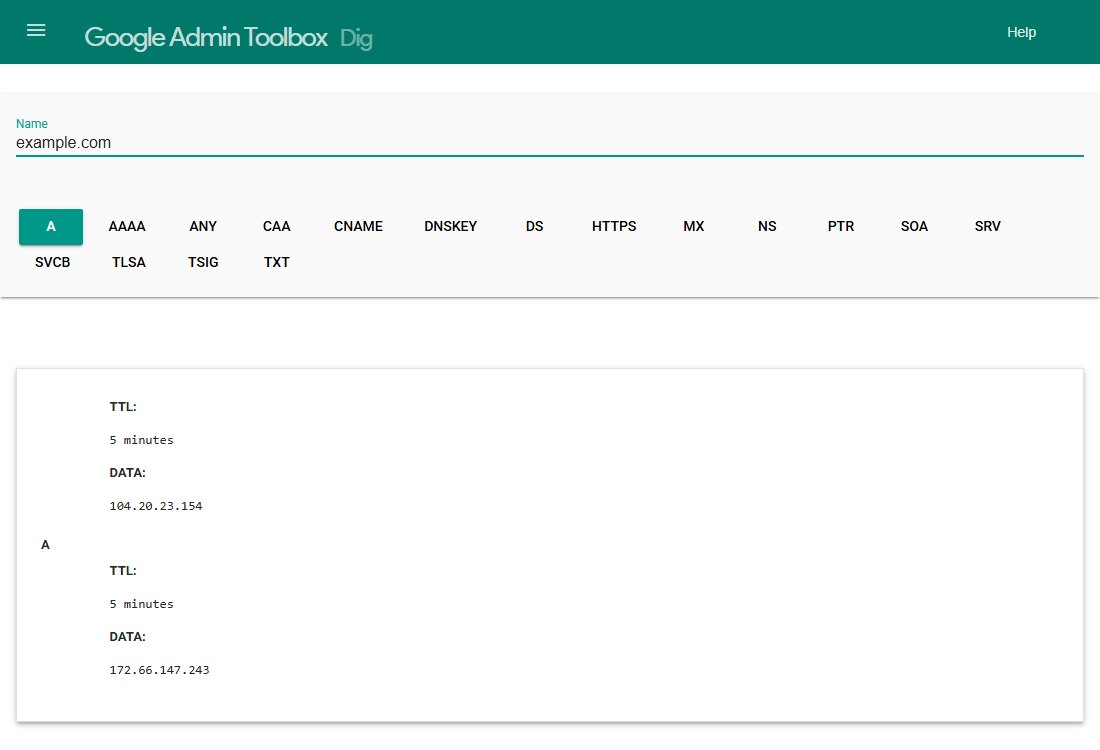
It shows two A records, each with its own address.
And here are the AAAA records for the same name:
The bare domain and www
The bare domain, with nothing in front, has a special name. It is called the apex, or zone apex.[8] For example.com, the apex is just example.com.
www.example.com is a different name. It is a subdomain that happens to start with www. DNS treats it like any other name.
So if you want both to work, both need records. An A record at the apex does nothing for www. If you forget, www can fail while the bare domain works.
Giving the apex its own A record is fine. One of the standards shows this as the way to let a bare domain reach a server.[9]
For www, hosts often ask you to use a different record type, called a CNAME.[7] That is the topic of the next chapter.
Sources
- IP address, Wikipedia (accessed 2026-10-18)
- IPv6, Wikipedia (accessed 2026-10-18)
- RFC 5737: IPv4 Address Blocks Reserved for Documentation, IETF (accessed 2026-10-18)
- RFC 3849: IPv6 Address Prefix Reserved for Documentation, IETF (accessed 2026-10-18)
- RFC 1035: Domain names - implementation and specification, IETF (accessed 2026-10-18)
- RFC 3596: DNS Extensions to Support IP Version 6, IETF (accessed 2026-10-18)
- Managing a custom domain for your GitHub Pages site, GitHub Docs (accessed 2026-10-18)
- RFC 8499: DNS Terminology, IETF (accessed 2026-10-18)
- RFC 1912: Common DNS Operational and Configuration Errors, IETF (accessed 2026-10-18)